
MOBILE PROJECTOR APPLICATION
Discover application options for projecting images and videos on your smartphone.
Advertisements
Project directly from your phone with apps that mirror photos, videos and presentations to TVs and projectors via Wi-Fi, without cables.
You will remain on the same site
How to choose apps to turn your phone into a projector
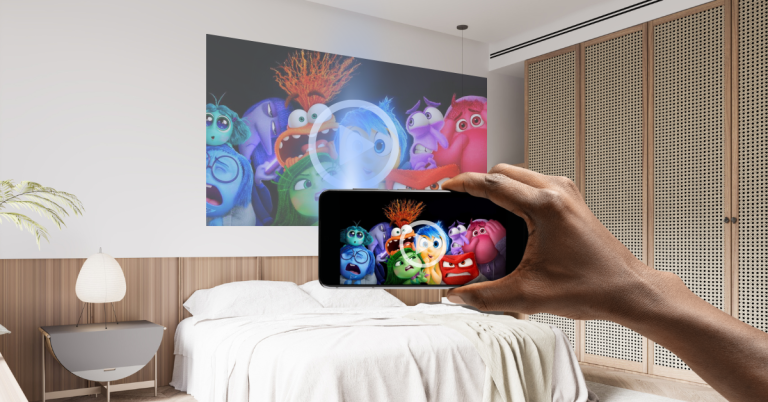
To turn your phone into a projector, it's important to understand that apps alone can't physically project images. What you can do is use apps to mirror your phone's screen to projectors or TVs. There are several options available that allow you to share your screen wirelessly, as long as the target device is compatible.
Apps like Google Home and AirPlay are great for screen mirroring to Chromecast or Apple TV devices. Other apps, like Epson iProjection, allow you to connect directly to compatible projectors via Wi-Fi. Always check the compatibility between your phone and the projection device you want to use.
To choose the right app, consider its ease of use, user reviews, and compatibility with your devices. Avoid apps from unknown sources, always prioritizing the security and privacy of your data. It is also important to choose apps that guarantee good video streaming quality.
If wireless mirroring isn’t an option, you can use cables or adapters, such as HDMI, to connect your phone to the projector. These methods are usually more stable and provide better image quality. However, you’ll still need an actual projector to display the content on a screen or wall.
You will remain on the same site
Advantages of using apps to turn your phone into a projector
Using apps to turn your phone into a projector brings practicality and convenience. They allow you to share content instantly anywhere, without the need to carry heavy equipment or connect multiple cables. This gives you mobility and flexibility to project in different environments, such as meetings, events or leisure moments.
Another advantage is the saving of space and resources. With these applications, the smartphone becomes the only device needed for projection, dispensing with traditional projectors and other accessories. This simplifies use and also reduces costs and complexity when setting up projections.
These apps are also easy to use and have intuitive interfaces, making it easy to connect your phone to compatible devices. In addition, many offer image quality adjustments, such as brightness and contrast, to improve the display as needed, ensuring a satisfactory user experience.
Finally, compatibility with different formats and devices increases the possibilities of use. You can project photos, videos and documents, whether on TVs, computers or projectors, adapting to whatever you have available. This allows versatility in different contexts and expands the options for use in everyday life.
Frequently asked questions about apps to turn your phone into a projector
Not all apps are compatible with all projector models. Please check the technical specifications of both to ensure compatibility.
Yes, most apps work without the internet, as long as you have already downloaded the content to your phone. However, to stream content from the cloud or streaming platforms, you will need an internet connection. Some apps allow you to use Wi-Fi Direct, which means you don't need the internet.
Some apps are free, but many have paid versions with extra features. Before you download an app, check whether the free version meets your needs or whether it’s worth investing in premium features.
Yes, most applications support projecting high-definition videos, but the end result depends on both the projector resolution and the display surface.
Projection apps can consume a considerable amount of battery, especially when used for long periods.