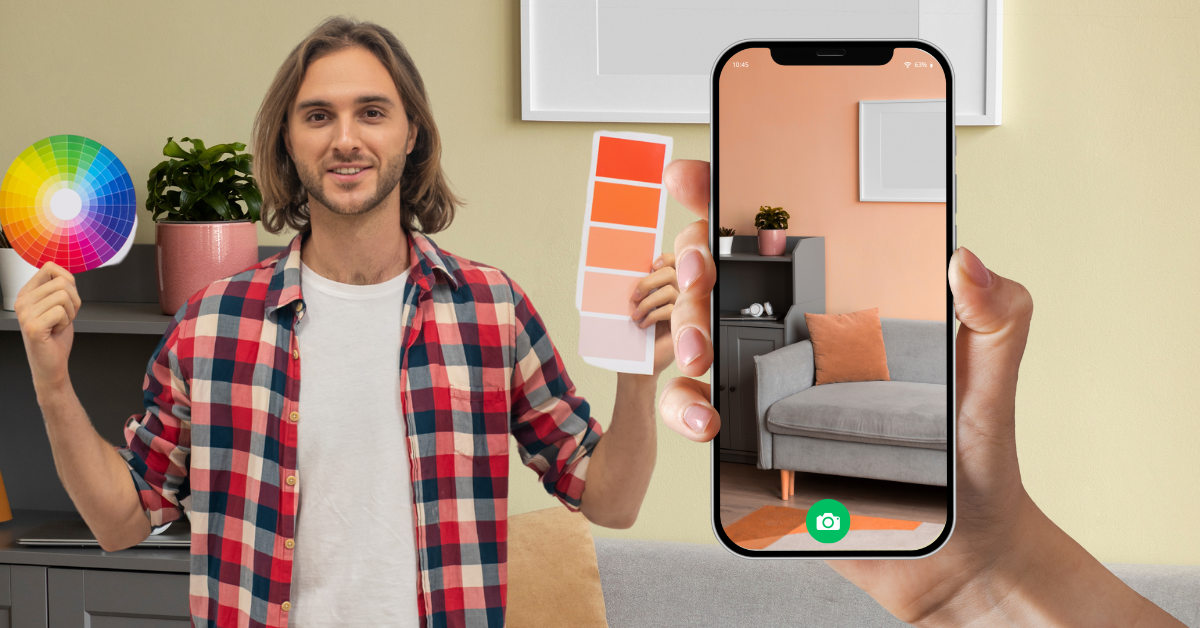

APPLICATION TO SIMULATE WALL COLOR
See how the app uses augmented reality to transform the look of your home.
Advertisements
Discover the app that lets you simulate painting your walls in real time with the colors you want.
How do wall color simulation apps work?
Coral Visualizer is an app developed by Coral Paints that uses augmented reality technology to simulate painting walls in real time. It allows you to visualize how the room will look after applying a new color, simply by pointing your device's camera at the desired space. The app automatically differentiates the wall from other objects in the room, applying the chosen color accurately.
With a variety of features, this tool goes beyond simply simulating colors. The app helps identify shades, calculates the amount of paint needed for the project, offers suggestions for harmonious combinations, and even generates a complete shopping list to facilitate your planning. This way, you can explore all the possibilities to transform your home without fear of making mistakes.
Benefits of Apps:
- Real-time simulation: Instantly visualize how the wall will look after painting, making it easier to choose the ideal color.
- Color identification: Capture the exact shade of objects or environments, ensuring that the new color harmonizes perfectly with the decor.
- Suggested combinations: The app offers ideas for complementary colors, helping to create more pleasant and balanced environments.
- Ink calculation: Save time and money with precise calculations of the amount of paint needed for each space.
- Smart Shopping List: The app generates a complete list of the materials you will need for your project, based on the simulation performed.
- Store locator: Find the nearest Coral paint stores to you, making it easier to buy products.
- Easy sharing: Save and share the simulations with friends and family to receive feedback and advice.
Frequently Asked Questions
The simulation works using your device's camera. Simply point it at the wall you want to paint, and the app applies the chosen color to the surface, differentiating furniture and objects in the room.
Yes! With the color identification function, you can take a picture of any object or surface and Coral Visualizer will show you the exact shade, helping you find the color that matches the environment.
Yes. Coral Visualizer offers suggestions for color combinations that harmonize with the chosen color, helping to create a balanced and pleasant environment.
The app uses the wall area selected during the simulation to calculate the amount of paint needed. This helps avoid waste and ensures you buy the right amount of product.
Yes, but it's recommended to use the app in well-lit environments to obtain a more accurate color simulation. Lighting directly influences the perception of shades.